
Your Smart Doorbell Is Leaking More Than Video: 3 Privacy Settings You Need to Change Now
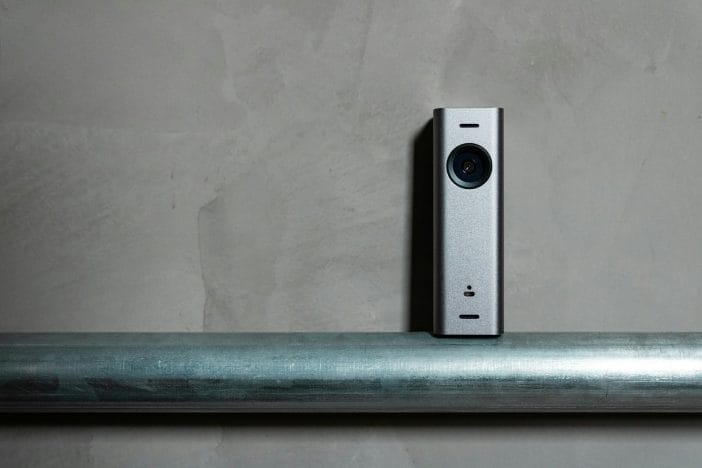
A camera sits on the front door to protect the home, but that little device can reveal far more than a package delivery or a visitor. Smart doorbells quietly collect a surprising amount of information, including motion activity, audio recordings, and sometimes even data about nearby devices. Tech companies design these gadgets to feel simple and friendly, yet the privacy settings behind the scenes often default to options that share more than many homeowners realize. Convenience often wins the battle during setup, which means many devices start recording and storing far more than necessary.
A front porch camera can easily turn into a window into daily routines, neighborhood traffic, and household habits. Anyone who installs a smart doorbell for safety deserves to know exactly what information that camera captures and where that information travels.
1. The “Shared Video” Setting That Sends Footage Farther Than Expected
Many smart doorbells include a feature that allows video clips to move beyond the owner’s phone and into larger networks. Companies often market these systems as community safety tools that allow neighbors to share suspicious activity with one another. While that concept sounds helpful on the surface, the default settings sometimes grant broader sharing permissions than expected. A doorbell camera may automatically contribute clips to community alert platforms or partner apps, which means footage from a private front porch can circulate through a much wider digital audience.
Turning off automatic sharing dramatically tightens control over that footage. Most smart doorbell apps include a privacy menu that allows users to disable neighborhood sharing, law-enforcement portals, or third-party partnerships. That change keeps recordings inside the personal account rather than broadcasting them across a network. Anyone who still values the option to share a clip during a genuine security concern can always do so manually. The key difference lies in control, because the homeowner decides when and where a video travels rather than allowing software to make that decision automatically. A quick check of the sharing settings takes only a few minutes and instantly limits the audience for those recordings.
2. Motion Zones That Accidentally Watch the Entire Street
Smart doorbells use motion detection to alert homeowners when activity occurs near the door. Unfortunately, many cameras start with extremely wide detection zones that include sidewalks, roads, and sometimes even neighboring yards. That wide-angle surveillance might seem harmless at first glance, but it dramatically increases the amount of footage stored on the device’s servers. Every passing car, dog walker, or drifting leaf can trigger a recording, which means the camera collects an enormous stream of unnecessary video.
Adjusting motion zones solves that problem quickly. Most doorbell apps allow the owner to draw custom detection areas that focus only on the front porch, walkway, or driveway. That change limits recordings to the spaces that actually matter for home security. A tighter detection zone also reduces the number of alerts sent to the phone, which makes the device feel less like a buzzing alarm system. Less footage stored on remote servers also means fewer chances for private information to circulate beyond the home.
3. The Microphone Setting That Records More Than Visitors
Video usually grabs all the attention when people think about doorbell cameras, but the microphone inside that device carries its own set of privacy risks. Many smart doorbells record audio automatically whenever motion triggers the camera. Conversations near the front door, chats on the porch, and sometimes even voices from inside the house can end up stored alongside the video footage. Some devices even allow continuous audio capture when certain settings remain enabled.
Reviewing the microphone settings can dramatically reduce unnecessary recordings. Many apps allow users to disable audio recording entirely or limit the feature to moments when the homeowner actively interacts through the doorbell. That adjustment still allows two-way conversations with visitors while preventing the camera from collecting background chatter throughout the day. Some systems also allow the user to mute the microphone during scheduled hours, which adds another layer of control. A small device mounted beside the door should not quietly archive every sound near the entrance, and a simple settings check can ensure that audio only activates when truly needed.

A Small Device With Big Privacy Responsibilities
Smart doorbells offer genuine benefits for home security, and millions of households rely on them to monitor deliveries, visitors, and unusual activity. At the same time, these devices sit at the edge of private life, quietly capturing images and sounds from the front door every day. Technology works best when convenience and control move together rather than fighting for attention. Adjusting sharing permissions, tightening motion zones, and reviewing microphone settings can dramatically improve privacy without weakening the device’s main purpose.
A few minutes inside the app settings can transform a basic doorbell camera into a much smarter security tool that protects both the home and personal data. Those adjustments keep control exactly where it belongs, right in the hands of the homeowner. Smart home technology should feel empowering, not intrusive, and a quick privacy tune-up can make a surprising difference.
Which smart doorbell setting surprised you the most, and what other privacy adjustments have made your home technology feel safer? Give us all your thoughts and tips in the comments.
You May Also Like…
6 Ways Your Smart Doorbell Could Be a Legal Liability
The Easy “Porch Pirate” Tricks That Keep Packages Safe
8 Ways Technology Is Quietly Reshaping Your Personality
7 Car Brands Technicians Hesitate to Recommend
The Social Security Scam Call That Tricks Seniors Into Paying on the Spot
