
The Phone Settings That Could Instantly Improve Your Sleep Tonight
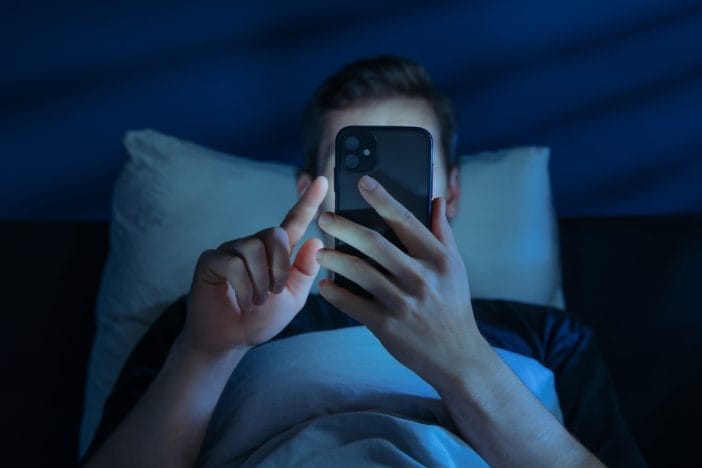
A glowing screen at midnight doesn’t just light up a room—it hijacks the brain. That tiny rectangle in your hand can trick your body into thinking it’s still daytime, even when the clock screams otherwise. Sleep doesn’t stand a chance when your brain stays wired, alert, and scrolling through one more video, one more post, one more notification.
Fixing that problem doesn’t require a full lifestyle overhaul or expensive gadgets. Two simple phone settings can flip the entire experience, turning your device from a sleep saboteur into something that actually supports rest. These changes take minutes, but they can shift how quickly sleep arrives and how deeply it sticks around.
Night Shift and Blue Light Filters: The Setting That Calms Your Brain Down Fast
Bright, blue-toned light tells the brain to stay awake and alert, which works great at noon but creates chaos at night. Phones pump out that blue light constantly, and it interferes with melatonin production, the hormone that helps control sleep. When melatonin drops, the body struggles to wind down, even when exhaustion kicks in. That’s where built-in features like Night Shift on iPhones or Blue Light Filter on Android devices step in and change the game completely.
These settings shift the screen’s color temperature from cool blue tones to warmer, amber hues. That softer glow reduces the impact on the brain and helps signal that nighttime has arrived. It doesn’t magically knock anyone out, but it removes a major obstacle that delays sleep. The difference often feels subtle at first, but over time it becomes noticeable, especially for anyone who spends evenings on their phone.
Setting this up takes almost no effort. Most devices allow scheduling, which means the screen automatically adjusts at sunset or a chosen time. That automation matters because it removes the need to remember anything. Once it runs in the background, it quietly supports better sleep habits every single night.
The intensity level also deserves attention. Many people leave the filter too weak, which limits its effectiveness. Cranking up the warmth creates a more noticeable shift and reduces blue light exposure further. It might look slightly strange at first, but the eyes adjust quickly, and the brain benefits almost immediately. This setting works best when paired with a small habit change. Lowering screen brightness in addition to activating the filter creates an even calmer visual environment. That combination reduces strain on the eyes and makes late-night scrolling feel less stimulating. Small tweaks like this stack together and create a much bigger impact than expected.
Do Not Disturb and Focus Modes: Silence the Chaos Before It Starts
Notifications don’t just interrupt sleep—they prevent it from happening in the first place. A single buzz or flash of light can pull attention right back to the screen, even when the intention was to wind down. The brain stays on standby, waiting for the next alert, and that constant anticipation keeps it from fully relaxing. That’s where Do Not Disturb and Focus modes step in and take control.
These settings block calls, silence notifications, and create a quiet window where nothing breaks through unless it truly matters. That shift changes the entire bedtime environment. Instead of reacting to every ping, the phone becomes calm, predictable, and far less tempting. It removes the feeling that something important might get missed, which often fuels late-night checking.
Customization makes this feature even more powerful. Most devices allow certain contacts or apps to bypass the silence, which means important calls can still come through. That balance keeps the setting practical while still protecting sleep. It eliminates the all-or-nothing mindset and replaces it with something far more flexible.
Scheduling plays a key role here too. Setting Do Not Disturb to activate automatically at a specific time creates a clear boundary between day and night. That boundary helps train the brain to shift gears, which supports better sleep patterns over time. It also removes decision fatigue, since the phone handles the transition without any effort.
Focus modes go even further by limiting specific apps during certain hours. Social media, email, and other attention-grabbing tools can get locked down completely. That extra layer reduces temptation and keeps late-night scrolling from spiraling out of control. It turns the phone into a tool instead of a distraction.
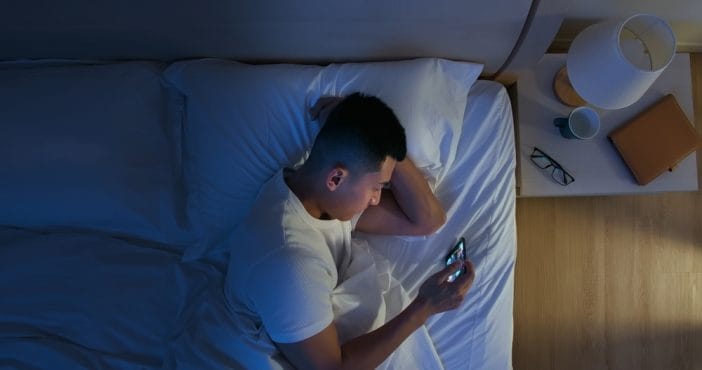
Stack the Settings: Why Using Both Changes Everything
Each setting works well on its own, but combining them creates a completely different experience. Blue light filters calm the brain visually, while Do Not Disturb removes the constant pull of notifications. Together, they tackle both the physical and mental sides of sleep disruption, which makes them far more effective as a pair.
This combination creates a smoother transition into sleep. The screen becomes less stimulating, and the environment becomes quieter, which allows the brain to slow down naturally. Instead of fighting against distractions, the body gets a clear signal that it’s time to rest. That shift can shorten the time it takes to fall asleep and improve overall sleep quality.
Timing matters when stacking these settings. Activating them about an hour before bed gives the brain enough time to adjust. That window helps melatonin levels rise while reducing stimulation from the screen. It creates a buffer zone where the body can gradually wind down instead of stopping abruptly. Small additions can make this setup even stronger. Switching to darker wallpapers, enabling dark mode, and lowering overall screen time in the evening all contribute to a calmer experience. These changes don’t require major effort, but they reinforce the same goal from multiple angles.
The real magic shows up in consistency. Using both settings every night builds a pattern the body starts to expect. That expectation makes it easier to fall asleep, even on nights when stress or distractions try to interfere. Over time, the phone stops working against sleep and starts supporting it instead.
The Tiny Tweaks That Could Change Your Nights Starting Tonight
Better sleep doesn’t always come from big, dramatic changes. Sometimes it comes from flipping a switch, adjusting a setting, and letting technology work in your favor instead of against you. These two features already exist on most devices, yet many people never use them to their full potential.
Turning them on tonight takes less time than scrolling through a single social feed. The payoff, however, can stretch into better mornings, clearer thinking, and more consistent energy throughout the day. That kind of return makes these settings worth far more than the few seconds it takes to activate them.
What happens when the phone finally stops competing with sleep and starts supporting it instead? Drop your thoughts, favorite nighttime habits, or even small tweaks that made a difference.
You May Also Like…
Stop Throwing Away Your Old Smartphones: 3 Surprising Ways Your 2020 Tech is More Useful Than Ever
The “Tax Refund” Email That Installs Malware on Your Phone
This is the Best Time to Charge Your Phone For Longer Battery Life
5 Red Flags That A Phone Call Is A Scam
Digital Privacy Experts Reveal 8 Phone Settings That Quietly Track You
